 Meta Ads Enhancement Remover
Turn off Advantage+ creative enhancements in one click
Meta switches on a dozen automatic changes in every new ad: AI text rewrites, visual touch-ups, music, animation, overlays, translations. This Chrome extension for Meta Ads Manager switches them off for you, on one ad or many, so your Facebook and Instagram ads run exactly as you made them.
- Free: 10 switch-offs a day, no account
- Never presses Publish
- Works in Chrome, Edge and Brave
What it turns off
Every option below is switched off by default. Untick any you want to keep.
Advantage+ creative enhancements
- Standard enhancements
- Text improvements
- Text generation
- Visual touch-ups
- Music
- Image animation
- Image expansion
- Add overlays
- Enhance CTA
- Relevant comments
- and more
Advantage+ creative translation
- Translate text
- Translate voiceover
- Translate image text
Around the ad
- Site links
- Summaries
- Promotions
- Website highlights
- Product browsing
- Flexible media
- Related media
- Optimize text per person
How it works
- 1
Open an ad in Ads Manager
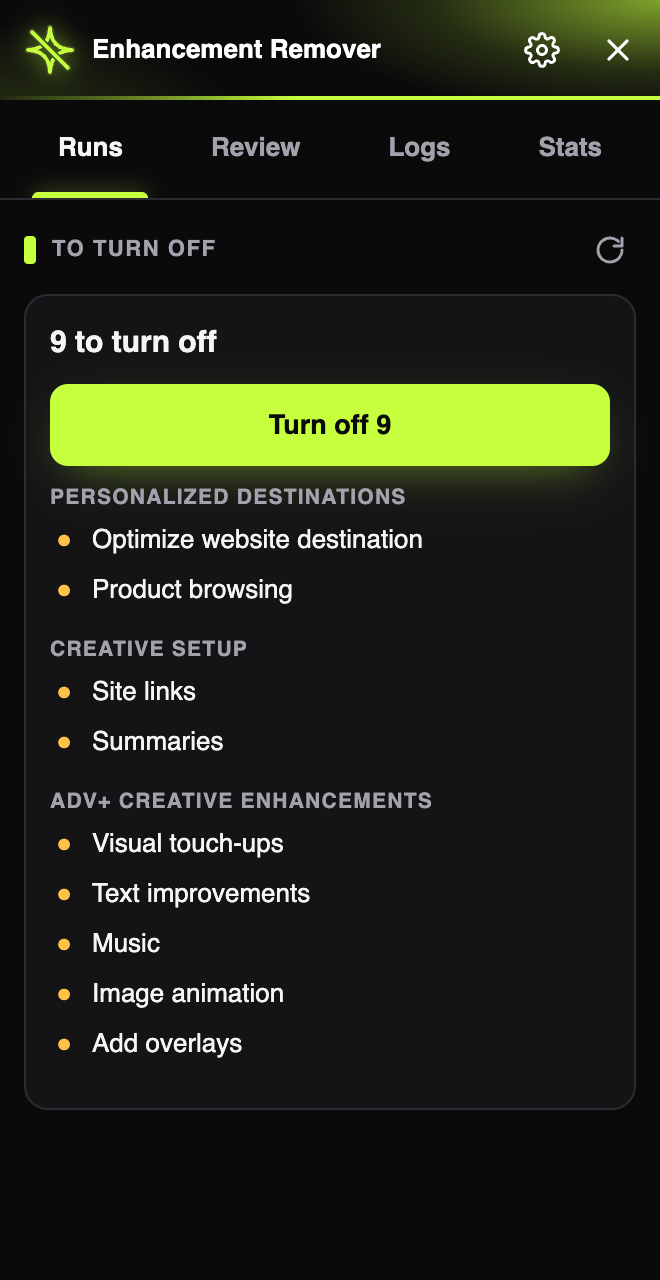
The panel opens beside your work and reads the whole ad: every enhancement that is on is listed, block by block.
- 2
Press one button
It flips the same switches you would flip by hand, one after another, and checks each one really went off.
- 3
Review and publish yourself
The extension never presses Publish. Your draft stays a draft until you say so.
One switch-off = one enhancement turned off on one ad.
What you get
One click, all off
It reads the whole ad, lists every enhancement that is on and switches them off one after another.
A slim panel inside Ads Manager
It docks beside your work at the width you like. Light or dark, it follows Ads Manager.
Many ads in a row
Tick the ads in the table and it works through them one by one, with a log of every run.
You choose what goes
Tick the enhancements you want removed. Anything you untick is left alone.
Checks its own work
After each save it reads the ad again. Anything that came back on is switched off again, or reported to you.
Never publishes
It only clicks the switches you would click by hand. Your draft stays a draft, and nothing about your ads leaves your browser.
Pricing
Free: 10 switch-offs a day. No account needed.
Questions
Does it publish my ads?
What is free?
Do I need an account?
What does unlimited cost?
Which enhancements does it turn off?
What does it send anywhere?
Can I keep some ads untouched?
Meta changed Ads Manager and something was missed. What now?
Is this made by Meta?
Your ad, exactly as you made it.
Not affiliated with Meta. Meta, Facebook and Instagram are trademarks of their owners. More about this extension