
Ads Manager, without the glare.
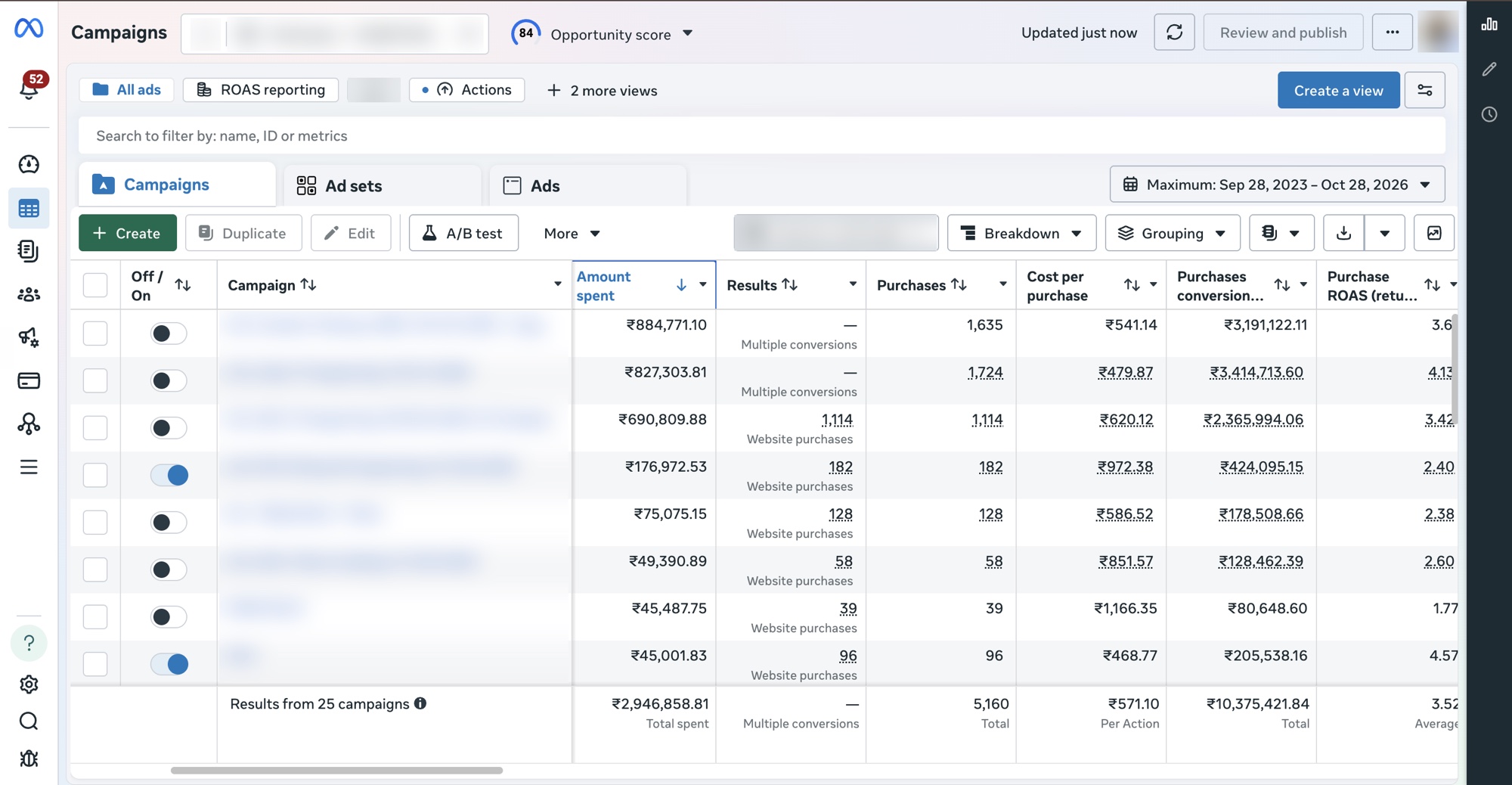
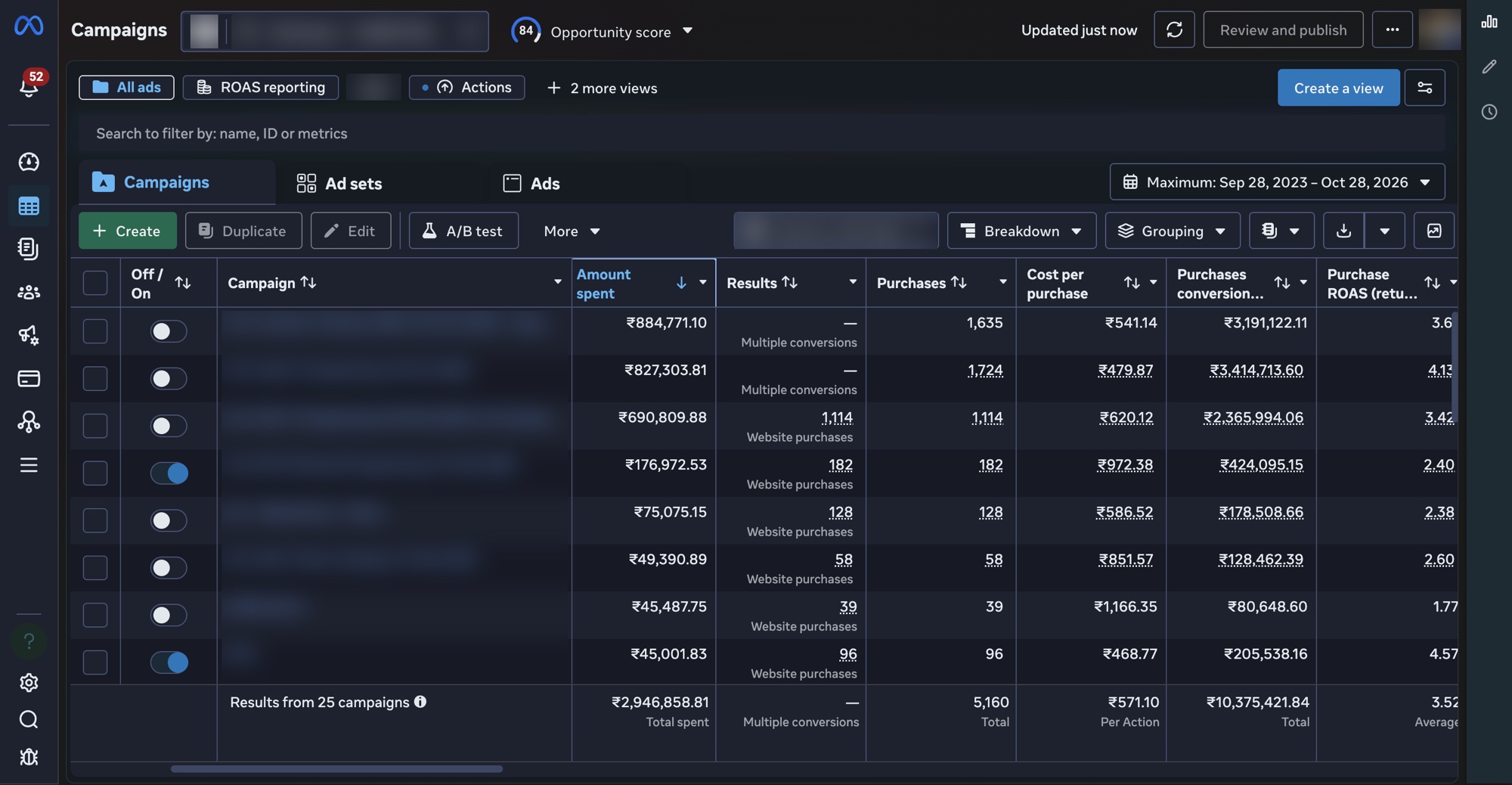
A real dark theme for Meta Ads Manager, Business Suite, Events Manager and Business settings. Ad pictures, videos and photos stay untouched.
What you get
A proper dark theme for the Meta business tools you work in all day, made colour by colour, not just flipped.
Every Meta business tool
Ads Manager, Business Suite, Events Manager, billing and business settings.
One switch per area
Turn each area on or off on its own.
Three looks, one warmth slider
Charcoal, Midnight (recommended) or Black. Warmth makes late nights easier.
Your ads stay as they run
Ad pictures, videos and photos are never changed.
Instant
Changes show on the page straight away, no reload.
Private by design
We never see your ads, pages or numbers. Only your sign-in and minutes of use are counted.
Easier on your eyes
Light from your screen
about 90% less
The light reaching your eyes in a day is only about 36 min instead of 6 h.
Glare you feel (estimate)
about 50% less
The glare you feel in a day is like only about 3 h instead of 6 h.
Worked out from the extension's own colours. An estimate of light, not a medical claim. How we worked it out
Pricing
Free plan
Best for trying it, and for light use
Free
after your 30-day trial
- Everything unlocked for 30 days
- Then free up to 3 h a day
- Ads Manager, Business Suite, settings and Ad Library
- Three looks and a warmth slider
- Ad pictures and videos never changed
- Unlimited hours
Unlimited
Best for working in Ads Manager every day
India first
paid plans open in India first
Start free- Unlimited hours, every day
- Everywhere else the free plan stays as it is
Questions
What counts as an hour of use?
What happens at the free limit?
Do you see my ads or my account?
How do I pay, and can I stop?
What does lifetime mean?
Is this made by Meta?
Not affiliated with Meta. Meta, Facebook and Instagram are trademarks of their owners.